
Skip to content
Chrome extension · Free

Every click becomes a scene.

Flaxxa Stage for Chrome records any web app while you click through it. You get an interactive demo: a scene for every click, the motion in between, and tooltips written by AI. Show your product once, and let everyone click through it.

  • Free to install
  • Works on any web app
  • Viewers install nothing

Recording needs a Flaxxa workspace with Stage. There's a free plan, no credit card needed.

to start recording
1 click
that runs in Chrome
Any app
captioned by AI
Every scene
for your viewers
0 installs
Before the curtain

A great demo shouldn't need a film crew.

Most product demos start in a screen recorder and end in a video editor. And after all that, people can only watch them.

One slip, start over

A screen recorder keeps every misclick and pause. Fixing one means recording the whole take again.

Hours in the edit

Cutting, zooming and captioning a recording takes longer than making it did.

Watched, never tried

A video plays the same for everyone. Your buyers want to click through the product themselves.

Flaxxa Stage records the page itself, not a video of it, so every scene stays editable after the take, and people can click through it.

See the show
The show, in five scenes

From your first click to opening night.

Here's everything that happens after you press Record.
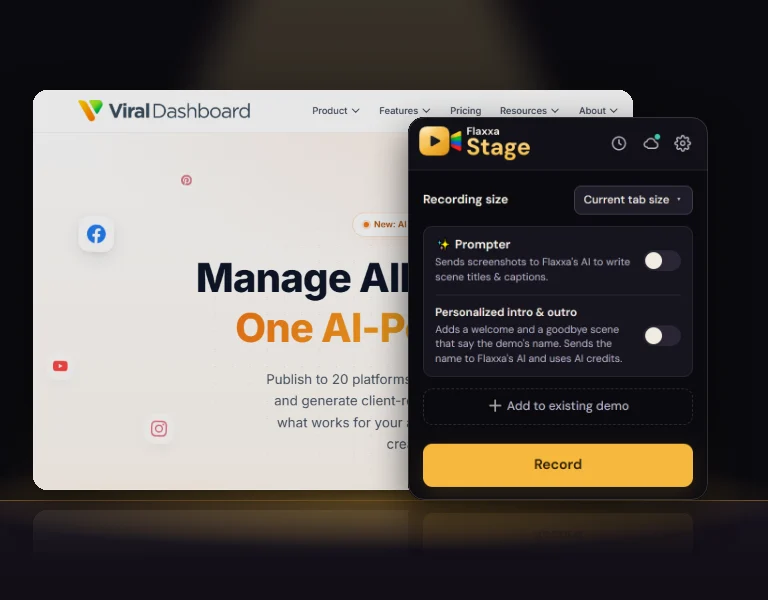
  1. The Flaxxa Stage popup over a web app, ready to record
    Scene 01 · Record

    Every click becomes a scene.

    Click Record and use any web app the way you always do. Flaxxa Stage turns each click into a scene of your demo, and keeps the scrolling, typing and page changes in between as motion.

    • Record at the tab's size, or set your own
    • Pause, then pick up where you left off
    • Add a take to a demo you've already made
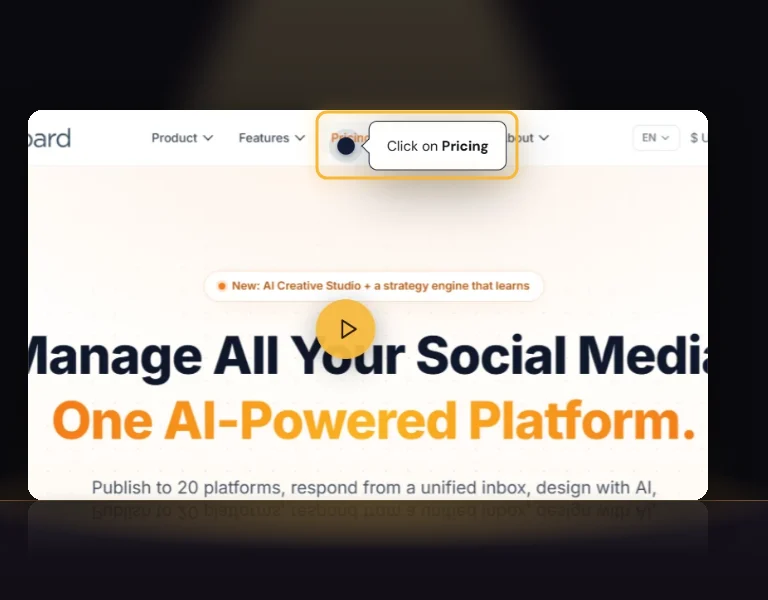
  2. A recorded scene zoomed in on a "Click on Pricing" Pointer
    Scene 02 · Direct

    Pointers and zoom, already in place.

    Every scene arrives with a Pointer on what you clicked and zooms in on the spot, so viewers never get lost. In Flaxxa, move, restyle or remove any of it.

    • A Pointer on every click
    • Zoom on the detail that matters
    • Blur anything private before it ships
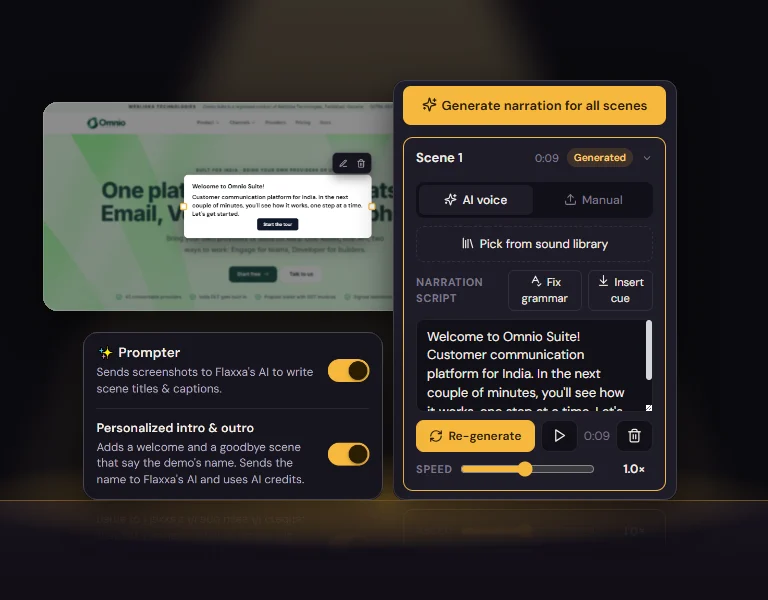
  3. An AI-written welcome scene, the narration script, and the popup's Prompter switches
    Scene 03 · Prompter

    Your AI prompter writes the lines.

    Turn on Prompter and Flaxxa's AI writes a title and a tooltip for every scene. Personalized intro & outro adds a welcome and a goodbye that say your demo's name. Then voice the script with AI narration.

    • Titles and tooltips for every scene
    • A welcome and a goodbye scene
    • Narration scripts, voiced by AI
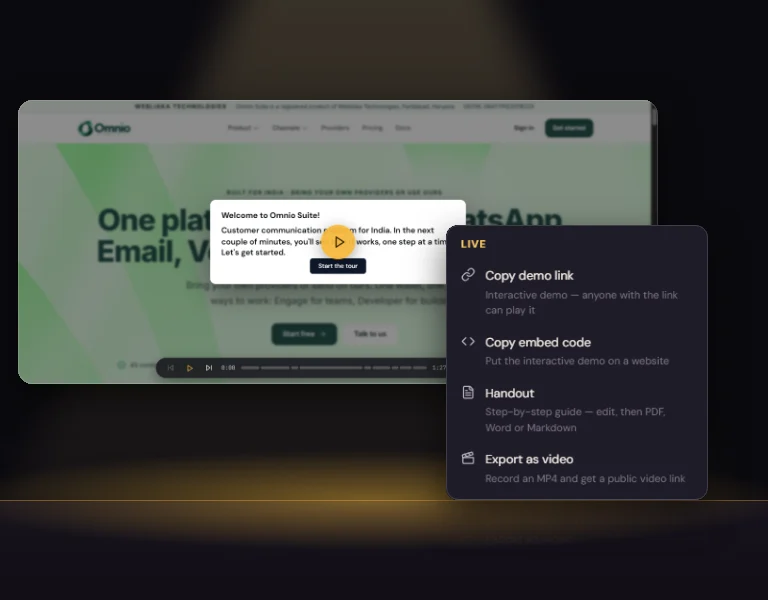
  4. Flaxxa's Share menu: demo link, embed code, handout and video
    Scene 04 · Premiere

    Share a live, clickable demo.

    Send one link or embed the demo on your website, and viewers click through it at their own pace. Need a video or a guide? The same demo exports as an MP4 or a step-by-step handout.

    • A share link, password-protected if you like
    • One embed code for any page
    • MP4 video, and PDF, Word or Markdown handouts
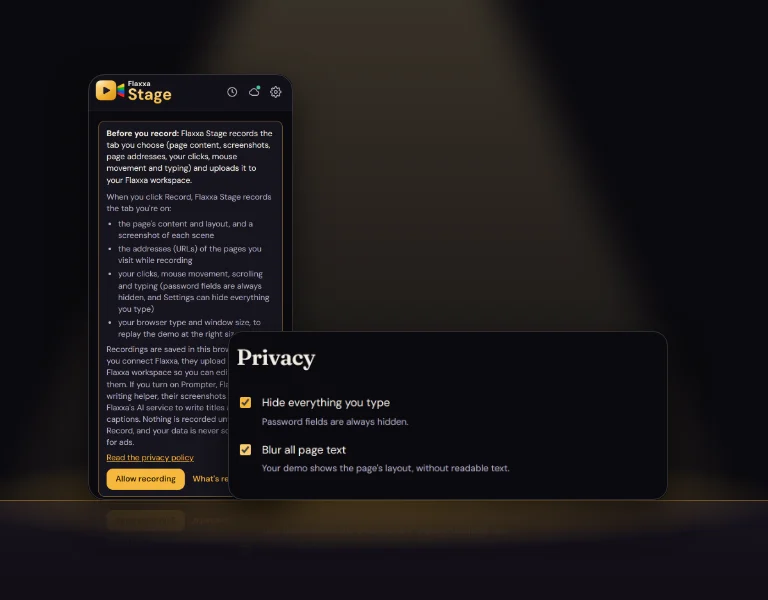
  5. The extension's "Before you record" notice and its privacy settings
    Scene 05 · Backstage

    Private by design.

    Nothing is recorded until you click Record, and password fields are always hidden. Hide everything you type, or blur all page text so a demo shows the layout without readable data.

    • Records only the tab you're on
    • Password fields always hidden
    • Hide your typing, or blur page text
    What the extension records
In the popup

Everything for the take, one click from any tab.

Any web app

Your live product, a staging site or a prototype, with nothing to install on the site itself.

Motion between clicks

Scrolling, typing and pages reacting are kept as Motion, so the demo moves like the real thing.

Pause and resume

Stop mid-take to set up the next screen, then carry on where you left off.

Add to a demo

Record more scenes into a demo you've already made, instead of starting over.

Recording size

Record at the tab's own size, or set an exact width and height.

Prompter

AI writes a title and a tooltip for every scene, ready when you finish.

Personalized intro & outro

A welcome and a goodbye scene that say your demo's name.

Your recordings

Every take is in the popup: open it in Flaxxa, preview it, or go live and copy its link.

Keyboard shortcuts

Direct the take without leaving the keys.

Start, pause, mark and finish from the keyboard, so the popup never gets in the shot. On a Mac, Alt is the Option key, and you can change any shortcut at chrome://extensions/shortcuts.

  • Start recording the tab you're onAltShiftR
  • Pause, or resumeAltP
  • Mark this moment as a sceneAltShiftM
  • Finish, and open the demo's previewAltS
Get started

Three steps to your first take.

01

Add it to Chrome

Open Flaxxa Stage in the Chrome Web Store and click Add to Chrome. It's free.

02

Pin it and connect

Pin Flaxxa Stage from Chrome's puzzle-piece menu, open it, and connect your Flaxxa workspace in one click.

03

Press Record

Open your product, press Record (or Alt+Shift+R) and click through it. Finish, and the demo opens in Flaxxa, ready to direct.

Questions

What people ask about Flaxxa Stage for Chrome.

Frequently asked questions

Yes. Flaxxa Stage is free in the Chrome Web Store. Recording needs a Flaxxa workspace with Stage, and Stage's free plan needs no credit card: make up to 10 demos, and share or export 2 of them.

Curtain up

Your product's premiere is one click away.

Add Flaxxa Stage to Chrome, press Record, and share a demo people can click through today. Start free, no credit card needed.

Free in the Chrome Web Store · Chrome 116 or later, on desktop